

A Complete Guide to Playing Casino Games on Mobile Safely and Smoothly

A Complete Guide to Playing Casino Games on Mobile Safely and Smoothly

Playing roulette from a sofa, opening blackjack during a break, or watching a live dealer through a smartphone would have seemed unusual not long ago. Today, mobile interfaces can deliver most of the functionality previously associated with desktop casino sites.

Convenience, however, creates its own challenges. A Complete Guide to Playing Casino Games on Mobile should explain what happens when connections drop, screens become crowded, phones overheat, or transactions appear delayed.

Mobile gambling works best when the device, network, account, and game are all understood as separate parts of the same experience.

Choose Games That Actually Work Well on Your Screen

Not every casino game translates equally well to every phone.

Simple slots usually require relatively few controls. Roulette can involve dozens of betting areas, while live blackjack combines streamed video, betting controls, game information, and chat within a limited display area.

Try a game’s interface before committing a meaningful stake.

Can you clearly see your balance? Is the selected wager obvious? Can you access the paytable without losing track of the round?

Landscape orientation sometimes provides extra room, particularly for live tables, but implementation varies between providers.

A game that looks impressive on a large promotional screenshot might feel cramped on a five-inch screen.

Usability is more than comfort. If buttons are too small or information is difficult to read, accidental inputs become more likley.

Live Casino Needs a Stronger Connection

A normal slot can download graphical assets and then exchange relatively small amounts of game data.

Live casino has to maintain a continuous video stream while simultaneously updating betting controls, results, balances, and sometimes player chat.

That makes stable connectivity more important.

Fast headline download speed is useful, but consistency matters too. A connection that repeatedly drops for a second or two can be more annoying than a slightly slower but stable one.

Wi-Fi is not automatically better than mobile data. The quality of each network depends on signal strength, congestion, and local infrastructure.

If live video repeatedly buffers, try another reliable network before blaming the game.

Also avoid changing between connections halfway through an important betting window when possible. A brief switch can be enough to interrupt what you see onscreen.

Know What Happens When a Game Is Interrupted

One of the most useful mobile casino concepts is the difference between a disconnected screen and an unresolved wager.

Suppose you place a roulette bet and your connection drops while the wheel is spinning.

The casino server may already have accepted the wager even though you no longer see the result.

Great Britain’s remote technical standards provide a useful example of how regulated interrupted gambling can be handled. If a wager has been received and the customer can no longer influence the outcome, the result should generally stand.

If a single-stage game is interrupted before an outcome is generated, the deducted stake should normally be returned. Stateful games should, where reasonably possible, be restored.

Rules differ by jurisdiction, so read the operator’s own interruption policy.

Most importantly, check game history before betting again. Do not assume a vanished animation means the wager vanished too.

Battery, Heat, and Performance Can Affect the Experience

Live video, animated slots, high screen brightness, mobile data, and background applications can put a surprising load on a phone.

Long sessions can therefore produce heat and faster battery drain.

When the device becomes too warm, performance may slow as the system attempts to manage temperature. This can create animation stutter or an interface that feels less responsive.

Close unneeded apps and keep the operating system updated.

Using maximum screen brightness while streaming over cellular data will generally demand more from the device than reading a simple webpage.

If a phone becomes unusually hot or starts behaving inconsistently, stop the session rather than forcing the application to continue.

A technical pause costs less than accidentally placing the wrong wager because the touchscreen or interface has become unresponsve.

Treat Casino Apps Like Other Financially Sensitive Apps

Casino applications may connect to personal details, account balances, payment methods, and identity-verification systems.

Installation should therefore be treated carefully.

Google recommends downloading Android apps from Google Play and warns that installing software from unknown sources can put devices and personal information at risk.

Android has also introduced stronger developer-verification protections. From September 30, 2026, participating app stores on certified Android devices in Indonesia, Singapore, and Thailand began requiring apps to be registered to verified developers for installation and updates.

Verification does not guarantee that every app is suitable or legitimate for gambling in your jurisdiction, but it illustrates why software source matters.

Do not install a random “casino update” sent through a chat message. Navigate to the operator through a trusted channel instead.

Check Transactions Before Repeating Any Payment

Mobile payment flows can occasionally create uncertainty.

You tap deposit, the spinner remains on screen, and nothing seems to happen. The natural reaction is to press the button again.

That can create a bigger problem.

Check whether the transaction appears in your casino account or banking application before repeating it.

Similarly, a withdrawal marked as processed by the casino may still need additional time before the payment provider completes its part.

Regulated account-history requirements in Great Britain include deposits, withdrawals, bets, results, winnings, and other movements of funds.

Use those records whenever the visible balance appears confusing.

If something genuinely does not match, save transaction identifiers and screenshots before contacting customer support.

Precise information is much easier to investigate than an approximative memory of what happened.

Mobile Play Makes Time Awareness More Important

Phones are designed around quick interactions.

That can make gambling sessions feel shorter than they really are, particularly when the player moves between messages, social media, and a casino game.

Responsible product standards recognise the importance of time awareness.

Great Britain rules require relevant remote gaming systems to provide facilities that help customers monitor the time spent gambling, and product design must not encourage players to chase losses or increase stakes.

Players can apply the same principle independently.

Decide when the session starts and when it should end. Check spending from account records rather than relying on whether the session “felt long.”

A smartphone makes access easier. That does not make the mathematical cost of repeated wagers disappear.

Use Personal Limits Before the Session Starts

Table limits and personal limits are different things.

A casino might allow a $500 bet, but that says nothing about whether such a wager fits your own entertainment budget.

Set the personal number first.

For example, if $30 is the amount you are comfortable treating as entertainment expenditure, the presence of higher-stake games should not turn that into $60 halfway through the session.

Mobile access makes this discipline useful because depositing additional money may require only a few taps.

Keeping a predetermined limit creates friction where the phone itself removes it.

Avoid treating previous losses as a reason to increase stakes. A new random casino round does not become more likely to win because earlier ones lost.

Know When a Problem Is Technical and When It Is Account-Related

Troubleshooting becomes easier when you divide problems into categories.

If every website loads slowly, the network is the likely cause. If the casino works in Safari but not its app, the application deserves attention.

If games work perfectly but your withdrawal remains pending, clearing browser cache probably will not help.

Likewise, identity verification, payment reviews, responsible-gambling restrictions, or account suspensions are account-side processes rather than phone-performance problems.

Do not repeatedly reinstall apps when the problem clearly involves account status.

Start by identifying the layer that failed: device, network, browser, casino software, payment system, or account.

That simple approach solves many issues faster than changing every setting at once.

A Complete Guide to Playing Casino Games on Mobile is really about managing several systems at once: your phone, connection, casino software, account, and personal limits.

Choose games that fit the screen, use secure software sources, check transaction histories after interruptions, and keep spending decisions separate from short-term results.

Mobile casino access can be convenient, but the best experience comes from combining that convenience with clear limits and careful device habits.

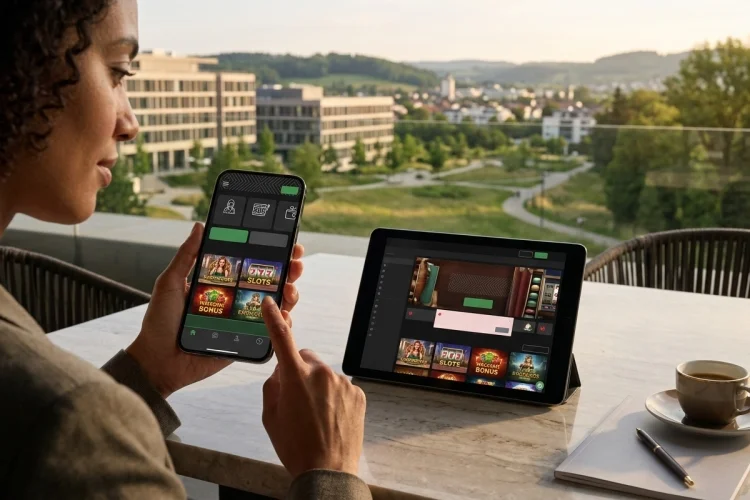
Android vs iPhone Casino Gaming: Which Is Better?

Android vs iPhone Casino Gaming: Which Is Better?

Mobile casino players commonly face one practical question before registering: should they play on Android or iPhone?

Both platforms can deliver smooth slots, table games, live-dealer streams, deposits, and withdrawals. However, app availability, device performance, screen design, and installation options can differ significantly.

The Android vs iPhone casino gaming comparison does not produce one winner for every player. Android offers a broad choice of devices, screen sizes, and price ranges.

iPhone provides a more tightly controlled hardware and software ecosystem, which may make optimisation more consistent across supported models.

The quality of the casino itself remains more important than the operating system. A licensed, responsive casino can work well on either platform, while a poorly designed operator may feel unreliable regardless of the phone.

Players should therefore compare browser performance, official app access, security, payment usability, and responsible gambling features before choosing where to play.

Casino App Availability

Both Apple and Google permit qualifying real-money gambling apps, but operators must satisfy strict conditions. Apple requires casino apps to hold the necessary licences, be restricted to authorised locations, and remain free to download.

It also prohibits using Apple’s in-app purchase system to buy gambling credit.

Google Play similarly permits approved gambling apps only in selected markets. Developers need appropriate licences, must restrict access by age and location, and cannot use Google Play Billing for gambling payments.

As a result, a casino app available on Android may not appear on iPhone in the same country, and vice versa. This usually reflects licensing or store-distribution rules rather than a technical limitation.

Browser Gaming on Android and iPhone

Many casinos offer responsive HTML5 websites, allowing users to play without installing an application. This approach is useful when an official app is unavailable or when the player wants to avoid using additional phone storage.

Modern Android browsers and Safari on iPhone can support slots, table games, account management, and live casino streams. The experience depends mainly on how well the operator has designed its website.

Players should test the lobby, cashier, game rules, and customer-support pages. Text should remain readable, buttons should respond correctly, and the site should not require horizontal scrolling or repeated zooming.

Performance and Device Choice

Android covers a wide range of phones, from affordable models to premium gaming devices. This gives players more choice, but performance may vary because screen sizes, processors, available memory, and manufacturer software differ.

Google’s development guidance encourages adaptive interfaces because Android applications may need to support phones, tablets, foldable devices, different orientations, and resizable windows.

Apple also requires developers to create interfaces that adapt to different iPhone display sizes. A well-designed casino should therefore fit supported iPhones without hiding important controls.

For either platform, connection quality, available storage, background applications, and device age can matter more than the operating-system logo.

Live Casino and Game Quality

Live-dealer games require stable video streaming and responsive betting controls. A recent Android flagship and a recent iPhone should both handle these games comfortably when the casino is optimised and the internet connection is reliable.

Before playing with real money, test a live table for a few minutes. Check whether the stream remains clear, controls respond before betting closes, and the phone becomes excessively hot.

Slots should also display balances, stake settings, paytables, and game rules correctly. If information disappears in portrait mode, try landscape orientation or use the browser version instead of the application.

Security on Both Platforms

Android protects applications through a kernel-level sandbox that limits how apps interact with other apps and operating-system resources. Google Play Protect can also scan installed applications and warn users about potentially harmful software.

Apple uses code signing, centralised distribution, sandboxing, and app review as layers of protection on iPhone.

Neither platform can protect someone who intentionally installs a fake casino app or enters credentials on a phishing page.

Download only from the verified operator website or an official app store, and compare the developer name with the licensed casino company.

Payments and Account Management

A good mobile casino should make deposits, withdrawals, verification, and transaction history equally easy on Android and iPhone. Payment forms must clearly show the amount, currency, fees, and processing conditions before confirmation.

Biometric authentication can make account access convenient, but it should not replace a strong password and multi-factor authentication. Players should also avoid saving gambling credentials on shared devices.

Before depositing, confirm that the payment method supports withdrawals and belongs to the account holder. A fast mobile deposit has little value when the cash-out process is unclear.

Which Platform Should You Choose?

Android may be better for players who value broader device choice, flexible browser options, and access across many price ranges. It may also appeal to users who prefer greater control over how applications are installed.

iPhone may suit players who prefer a tightly integrated ecosystem, consistent system updates, and centralised App Store distribution. However, the available casino apps still depend on local regulation and operator approval.

The final decision should be based on the specific casino, phone model, and location rather than general assumptions about either platform.

Android vs iPhone casino gaming is a close comparison because both platforms can provide high-quality mobile play.

Android offers greater device variety and flexibility, while iPhone provides a tightly controlled app ecosystem and relatively consistent hardware optimisation.

Neither option automatically makes an online casino safe or enjoyable. Verify the operator through the appropriate gambling regulator, test its browser site and official app, and review withdrawal conditions before depositing.

Check several games, examine the mobile cashier, and confirm that limits, time-outs, and self-exclusion tools are easy to find.

Choose the platform that works reliably on your device and connection, then set strict time and spending limits before playing.

How to Choose a Mobile-Friendly Casino: A Complete Guide

How to Choose a Mobile-Friendly Casino: A Complete Guide

A casino may look impressive on a desktop computer but become frustrating when opened on a phone.

Tiny buttons, slow-loading games, broken menus, and complicated payment pages can turn a simple session into a difficult experience.

These problems matter because mobile users often register, verify accounts, deposit, play, and request withdrawals from the same small screen.

Learning how to choose a mobile-friendly casino means evaluating more than whether the homepage fits your device.

A strong mobile platform should load reliably, respond quickly to taps, display games correctly, protect account data, and provide straightforward access to banking and safer gambling controls.

It should also be licensed for your location and work consistently across common browsers or an official application.

The following checks help separate a genuinely mobile-optimised casino from one that has merely reduced the size of its desktop website.

They can also help you avoid platforms that prioritise promotions while neglecting usability, security, or player protection.

Verify the Licence First

Mobile quality means little if the casino is not authorised for the player’s location. Find the legal company, regulator, licence number, and domain in the footer or terms, then compare them with the regulator’s official register.

The UK Gambling Commission’s register can be searched by business name, trading name, or domain. It also displays licence status and regulatory actions.

The exact website address should match because a copied licence logo is not sufficient proof that the mobile casino is regulated.

Check Responsive Design and Navigation

A mobile casino should adapt to different screen sizes without horizontal scrolling or constant zooming.

Google recommends responsive web design because one URL and the same core content can serve different devices while the layout adjusts to the available screen.

Menus, game filters, account settings, promotions, and the cashier should remain easy to reach. Buttons must also be large and separated enough to prevent accidental taps.

W3C mobile guidance covers touch-target size, screen reflow, orientation, and alternatives to complicated touch gestures.

Test Speed and Visual Stability

Open the casino on both Wi-Fi and mobile data. The lobby, account page, game information, and cashier should load without frozen animations, repeated reloads, or controls that move while you try to tap them.

Google’s Core Web Vitals assess real-world loading performance, responsiveness, and visual stability.

These qualities matter on casino pages because slow feedback or shifting payment buttons can create confusion and cause users to repeat an action unnecessarily.

Do not judge performance from the homepage alone. Open several games and account pages to see whether the experience remains consistent.

Compare Browser Play, Apps, and Games

A responsive browser site requires no installation, while an official app may offer biometric login, device notifications, and faster account access. Download applications only from a verified operator page or recognised app store.

Apple requires real-money gaming apps to hold the necessary licences, remain geo-restricted to authorised locations, and be free on the App Store.

Google Play also applies licensing and geographic-access requirements to eligible gambling apps. App-store availability is useful, but it does not replace checking the gambling regulator.

Open several slots, table games, and live-dealer titles. Rules, paytables, balances, and controls should remain readable in both portrait and landscape modes.

Examine Payments and Verification

The mobile cashier should clearly display deposit limits, withdrawal methods, processing estimates, fees, and supported currencies.

Forms must be readable, error messages should explain what needs correction, and confirmation screens should show the amount before submission.

Test whether identity verification can be completed securely from a phone. Avoid operators that request sensitive documents through informal messaging services.

Before depositing, confirm that your preferred payment method can receive withdrawals and is registered in your own name. Licensed remote operators may also be required to comply with technical and security standards covering their gambling systems.

Review Security and Player Controls

Choose a platform with secure login, a clear privacy policy, and multi-factor authentication where available. Use a unique password and keep the phone, browser, and casino application updated.

Deposit limits, time-outs, transaction history, reality checks, support information, and self-exclusion should be easy to find on mobile. These tools should not disappear simply because the customer is using a smaller screen.

Be cautious when game promotions are highly visible but withdrawal information and player controls are hidden inside complicated menus.

Choosing a mobile-friendly casino requires more than finding a site that opens on a smartphone.

The best platforms combine responsive design, quick and stable pages, usable games, clear mobile payments, secure account controls, and visible responsible gambling tools.

They should also hold a licence that can be verified for the exact domain and the player’s jurisdiction. Test the service before committing significant funds.

Explore the lobby, open several games, inspect the cashier, contact support, and read the withdrawal conditions on your own device and network.

Choose an official app or verified browser site, use strong authentication, and set spending and time limits before playing.

When navigation, payment information, licensing, or safety controls are unclear, leave the platform and continue your search.